Domains
Domains lets host administrators register new domains and monitor existing ones inside an Emakin application.
Open Operations → Domains. This area has a registration form, a Refresh command, and the domain list.
When to Use This Page
Use this page when you need to:
- register a new domain
- choose the initial domain level
- create the first domain administrator
- review domain activity and lifecycle state
- protect, disable, re-enable, or delete domains
Registering a New Domain
To register a new domain, enter the required values and select Register.
Name
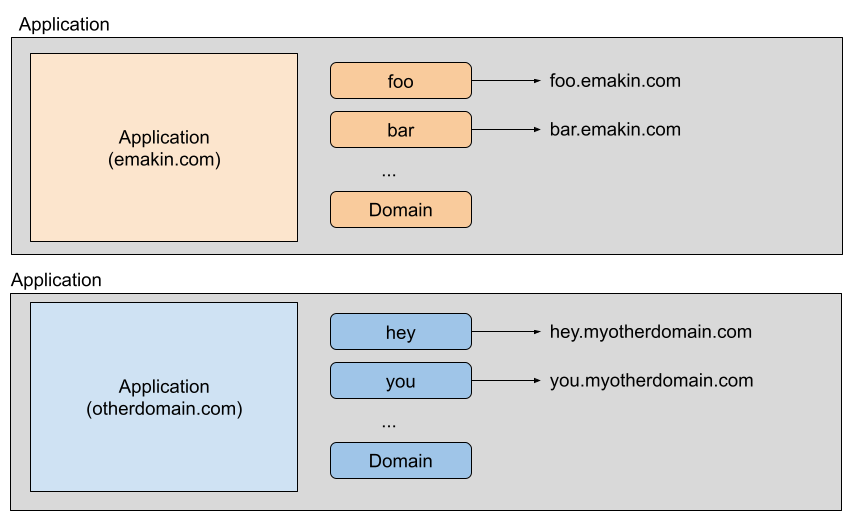
Defines the subdomain name. Emakin combines this with the application name to form the full domain name.
Example:
- subdomain name:
test - application name:
emakindemo.com - resulting domain:
test.emakindemo.com
Level
Defines the domain level and therefore the feature set available to that domain. The configured level must be allowed by the application license.
Available levels, from least to most feature-rich:
- OEM
- Standard
- Developer
- Publisher
- Enterprise
Administrator E-Mail Address
Defines the email address for the first administrator user in the new domain. This address is used to create the initial administrator account.
This first user is also placed into the Administrator group.
Administrator Password
Defines the initial password for the first administrator user.
Language
Defines the default culture for the first administrator user. Select one of the cultures supported by the running application; en-US is the default when no culture is supplied.
Monitoring Existing Domains
Existing domains are listed in a table for operational review.
Use the status checkboxes above the table to include or exclude Active, Deleting, and Disabled domains. The table supports sorting and pagination. Refresh reloads the domain states without reloading the page.
Name
Subdomain name.
Created At
Domain creation date.
Last Accessed At
Most recent access date by any user.
Is Protected?
Defines whether the domain is exempt from automatic deletion due to inactivity.
Inactive domains may be deleted automatically after the configured expiration period if they are not protected. Domains created from Host Administration are protected initially. Protection does not prevent an explicit Host Administration deletion because the Delete action confirms and requests unprotection as part of that operation.
Status
Displays the lifecycle state:
- Active: users can sign in and domain jobs and scheduled tasks can run.
- Disabled: user access and domain operations are suspended.
- Deleting: deletion is in progress and cannot be re-enabled from Host Administration. User access, scheduled tasks, and ordinary domain jobs remain suspended even if the deletion job is retried after an error.
Availability
The Availability action changes an Active domain to Disabled or returns a Disabled domain to Active. It is shown immediately before Delete in the domain row.
When a domain is disabled, Emakin signs users out, aborts its waiting, processing, and error jobs, and stops selecting its jobs for execution. Scheduled tasks do not create new jobs while the domain remains disabled. Re-enable the domain to restore user access and normal background processing; each overdue schedule is compensated at most once before its regular schedule resumes.
Warning: Disabling records an abort for a job that is already processing, but a worker operation that has physically started cannot necessarily be rolled back atomically.
Level
Displays the configured domain level. For an Active domain, select a different value in this column to update the level immediately. The level is read-only while the domain is Disabled or Deleting.
Delete
Starts permanent deletion of the domain and its content. A domain in the Deleting state cannot be made active again. After deletion starts, the action changes to Force Delete. Force Delete is available only in the Deleting state; it aborts remaining domain jobs and deletes the domain directly instead of retrying the normal deletion job. Both operations require confirmation and permanently remove domain data.