Persist Repeating Form Rows in a Relational Table
Scenario
Use this example when a process should maintain a simple address book by saving form rows into a relational database and loading them back into the form later.
What You Will Learn
- model repeating form rows with a stable identifier
- persist those rows with
ImportFromXml - load the saved rows back into the form with
ExportToXml
Difficulty and Estimated Time
- Difficulty: Intermediate
- Estimated time: 25 minutes
Assumed Knowledge
You should be familiar with table-content forms, XML paths, prework, postwork, and relational schemas.
Required Reading
Prerequisites
- permission to create processes and relational schemas
- access to prework and postwork scripting
- a process form that can host repeating contact rows
Steps
Create the Folder, Process, and Task
- Create an application folder, for example
Address Book. - Create a process and open it in edit mode.
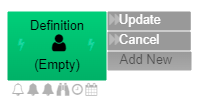
- Rename the opening task to
Definition. - Add
UpdateandCancelactions.
Build the Form
- Open the form designer.
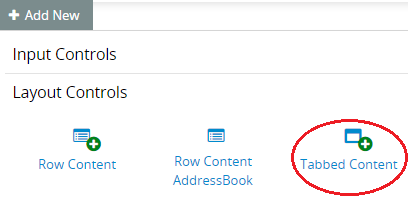
- Add a tabbed content control, for example
Contacts. - Add a table-content control inside that tab.
- Create the columns required for the contact rows, such as name and phone number.
- Set the phone field type to Telephone.
Extend the Data Model
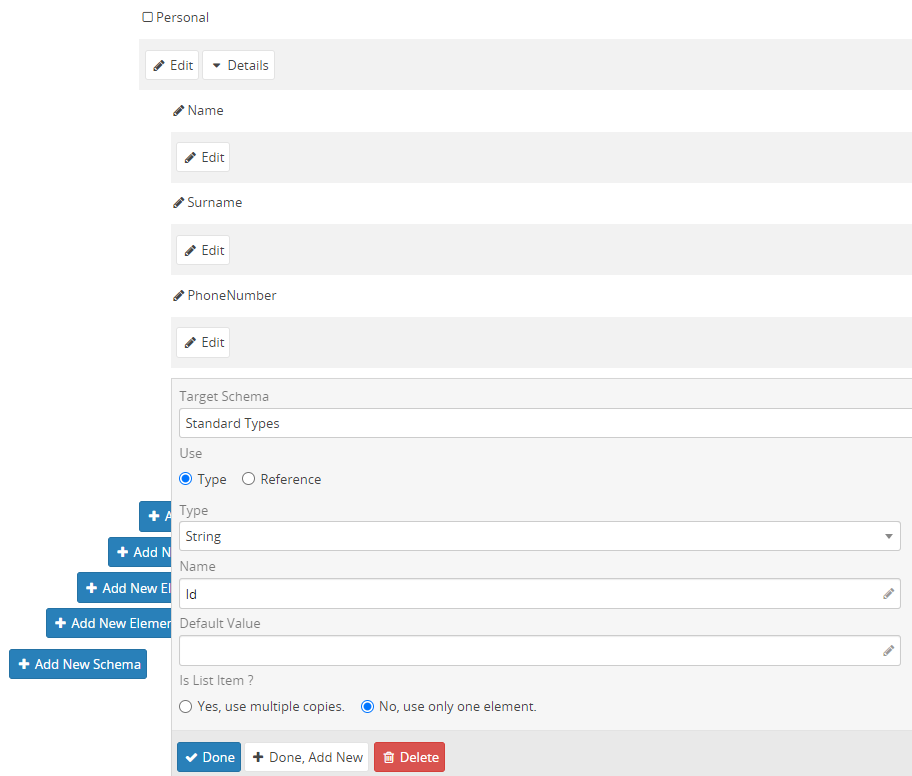
Add an Id field under the repeating contact structure so each contact row can be uniquely identified.
Define the Relational Database
- Open the database area of the process.
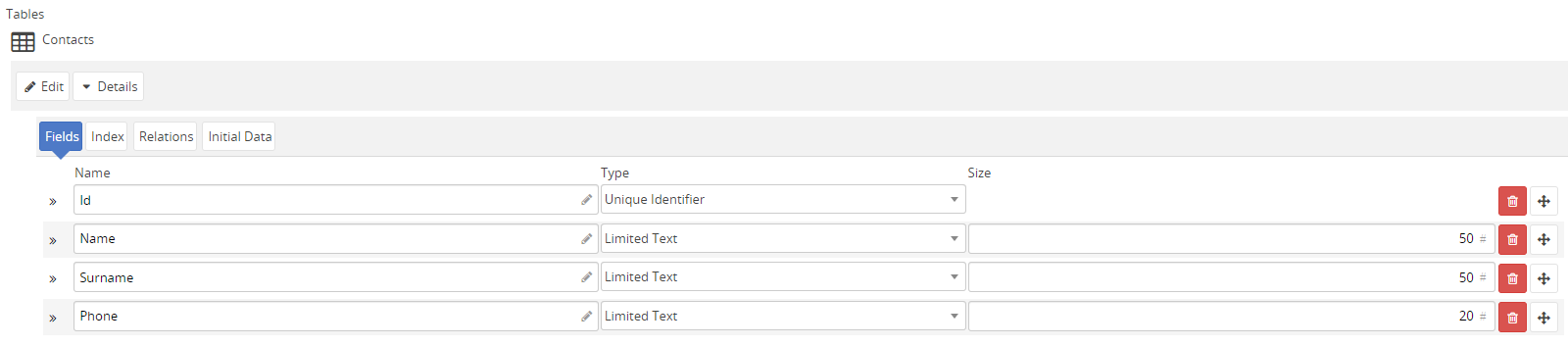
- Create a schema such as
AddressBook. - Add a table such as
Contacts. - Define the required fields, including a unique identifier column for the contact ID.
Save the Form Data in Postwork
In the task postwork, write the submitted rows to the relational database with ImportFromXml:
1 2 3 4 5 6 7 8 9 10 11 12 | |
This persists the rows from the XML form data into the Contacts table.

Load the Existing Contacts in Prework
In the task prework, load the saved rows back into the form with ExportToXml:
1 2 3 4 5 6 7 8 | |
This makes previously saved contacts appear when the form is opened again.

Test the Address Book
- Commit the process changes.
- Start the form.
- Add a contact row.
- Select
Updateto save it. - Open the form again and confirm the saved contact is loaded back into the table.

Result
The process now behaves like a lightweight address book: it saves repeating form rows into a relational table and loads them back when the form is reopened.
Verify the Result
Save two rows, reopen the task, and confirm that both rows retain their values and stable IDs. Edit one row and verify that it is updated instead of inserted again. Repeat the action once to check for duplicate writes.
Security and Portability Notes
- Authorize relational reads and writes for the current tenant and process context.
- Keep stable primary keys for updates, and make repeated postwork execution safe before using the pattern in production.
- The sample data is illustrative; apply the target domain's retention and privacy requirements to real contact data.