Assign Task to an External Participant
Scenario
Use this example when a task should be completed by someone who is not a normal Emakin user, such as an external consultant who participates through an email-based access flow.
What You Will Learn
- create a participant role for an external identity
- route a task through the participant access flow
- add a limited access scope when file operations are required
Difficulty and Estimated Time
- Difficulty: Intermediate
- Estimated time: 20 minutes
Assumed Knowledge
You should be familiar with roles, user tasks, notifications, and basic access-scope concepts.
Required Reading
Prerequisites
- permission to create participant roles and access scopes
- notification enabled where the participant link should be sent
- an email address for the external participant
Steps
Create the Process
- Create a process such as
Participant Task. - Build three sequential tasks so the middle task represents the work assigned to the participant.
- Enable task notifications for the participant task if the invitation should be sent automatically.
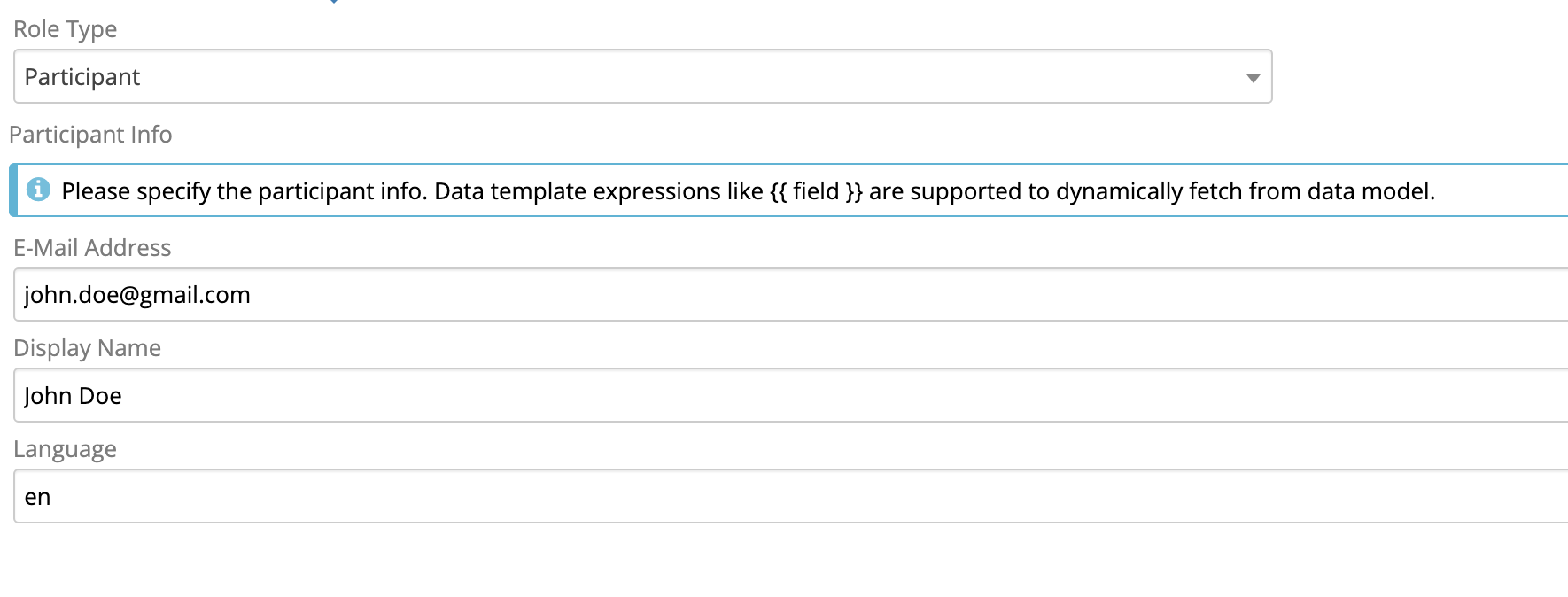
Create the Participant Role
- Add a role such as
Consultant. - Set the role type to Participant and enter the participant details directly, or use an expression such as:
1 2 3 4 5 | |
- Assign the role to the participant task.
Create the Form
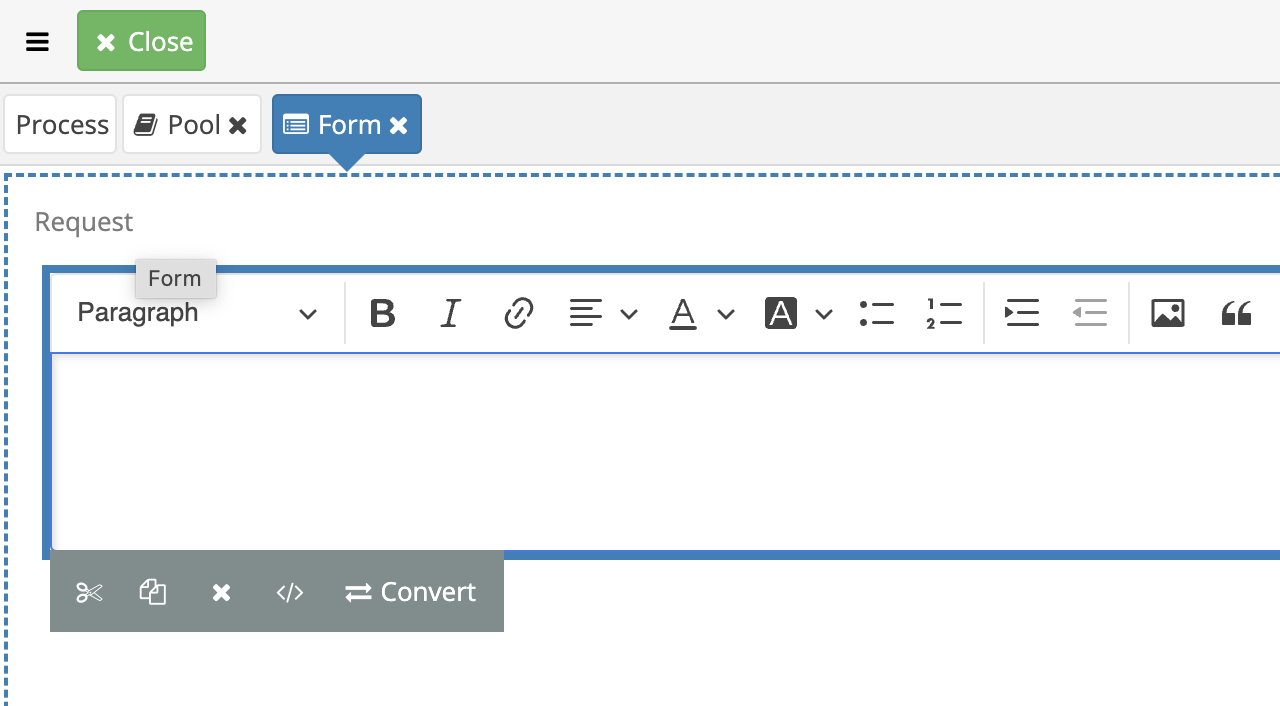
- Open the form designer.
- Add the fields the participant should complete, such as a request description or response content.
Test the Base Flow
- Commit the process.
- Start an instance.
- Verify that the participant task is generated as expected.
Add an Access Scope if Needed
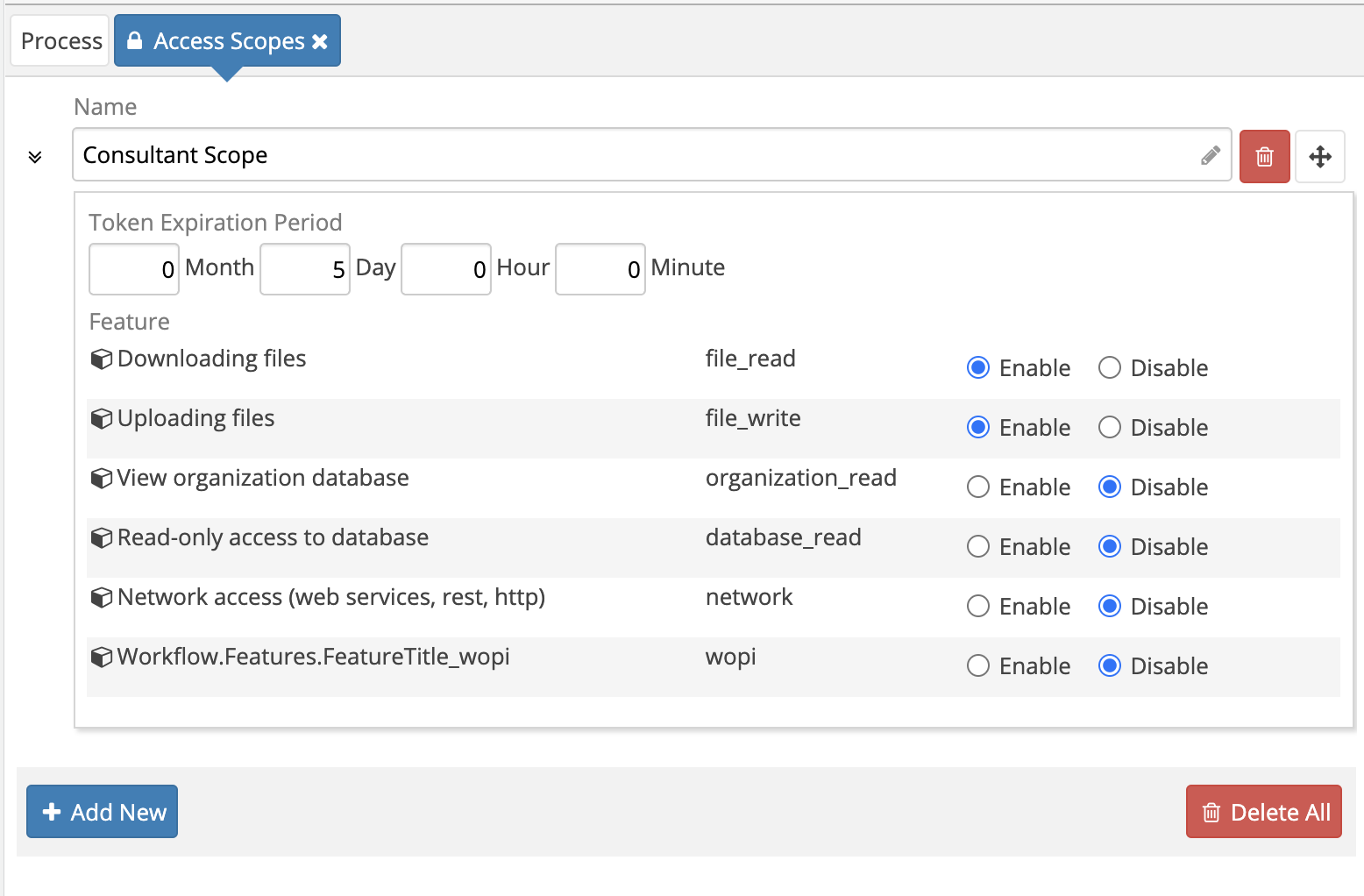
Without an access scope, external participants only have very limited capabilities. If they need to upload or download files:
- Create an access scope in the process definition.
- Enable scopes such as
file_readandfile_write. - Attach that scope to the participant task.
Result
The task is now assigned to an external participant, with optional scoped access to broader features such as file handling.
Verify the Result
Invite a test participant, start the process, and confirm that the participant can open and complete only the assigned task. Verify separately that the participant cannot browse unrelated processes, cases, or files.
Security and Portability Notes
- Use a reserved test address such as
[email protected]; never publish a real recipient in a definition. - Grant the narrowest access scope needed by the task and review file permissions independently.
- Treat invitation links and participant tokens as credentials; do not log or reuse them.