Assign a Task to a Group
Scenario
Use this example when a task should be offered to a group and the workflow should continue as soon as any group member completes it.
What You Will Learn
- create a group-backed process role
- assign a user task to the role
- verify that any authorised group member can complete the task
Difficulty and Estimated Time
- Difficulty: Beginner
- Estimated time: 15 minutes
Assumed Knowledge
You should be familiar with creating a process, adding tasks, and starting a test instance.
Required Reading
Prerequisites
- permission to edit groups
- permission to create processes and roles
- an existing user group or a set of users who can be added to one
Steps
Create the Group
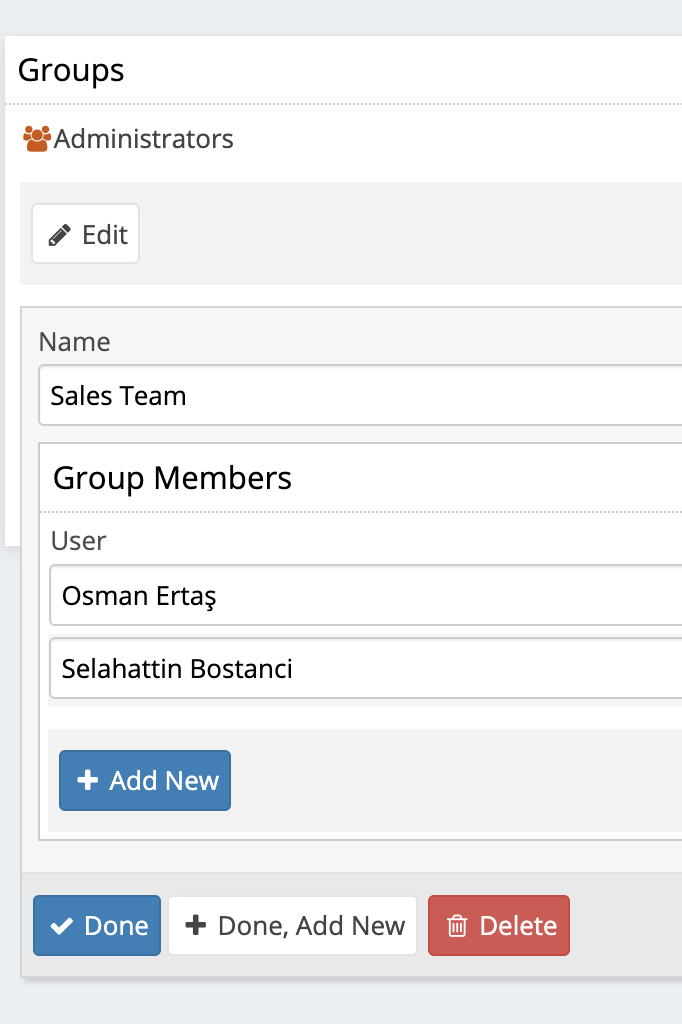
- Open Edit Groups.
- Create a new group, for example
Sales Team. - Add the users who should be able to complete the task.
- Save the group changes.
Create the Process
- Create a process such as
Group Task. - Open the process in edit mode and select the pool.
- Create three sequential tasks:
Start TaskSales ApprovalCompletion
Create the Role
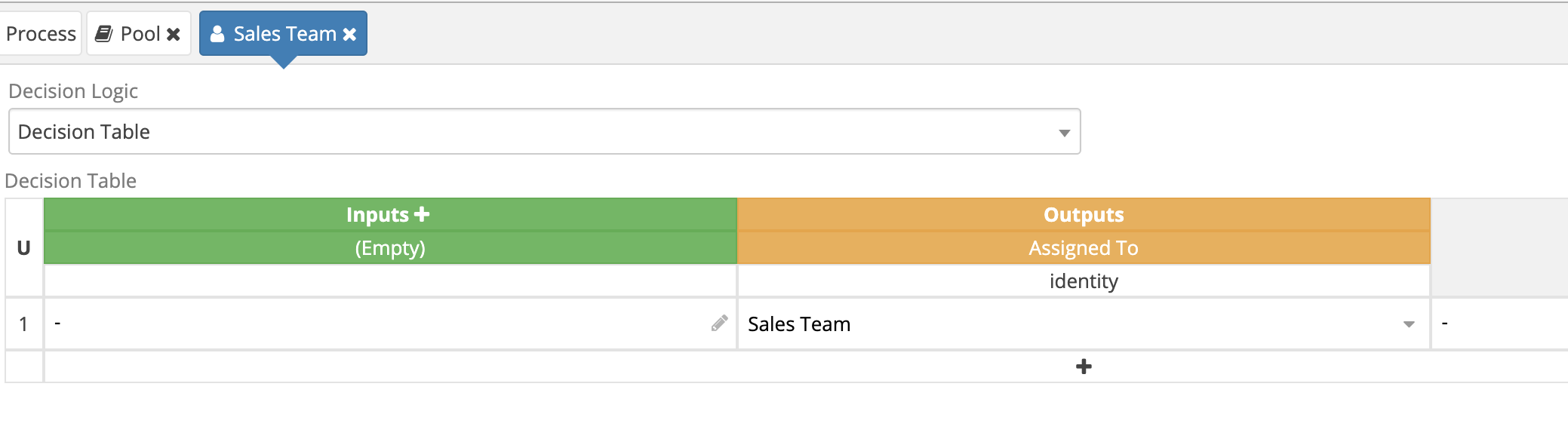
- Add a role named
Sales Team. - Assign the
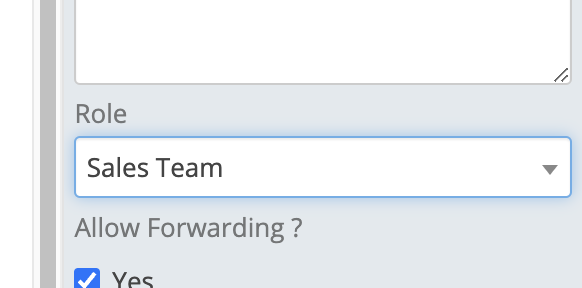
Sales Teamgroup to that role. - Attach the role to the
Sales Approvaltask.
Test the Process
- Close the designer and commit the process changes.
- Start the process from the folder.
- Confirm that the approval task is available to group members.
- Complete it with one member and verify that the process advances immediately.
Result
The task is now assigned to the group rather than to one user, and any authorised group member can complete it to move the workflow forward.
Verify the Result
Start the process as a user outside the target group. Confirm that an active group member receives the task and can complete it, then confirm that a user outside the group cannot open or complete it.
Security and Portability Notes
- Create or select the group in the target domain after import; group membership is tenant-specific configuration.
- Assign the role to the group instead of embedding user identifiers in scripts.
- Keep group membership narrow enough for the data and actions exposed by the task.