Color Picker
The Color Picker widget in Emakin allows users to select a color from a palette based on Material Design colors. This widget is commonly used in form customization and UI settings.
XML Fields
XPathidentifies the form-data element that stores the selected color.AltColorXPathoptionally identifies a second element for the contrast-compatible text color calculated from the selected color. Leave it empty when the form does not need that companion value.Hintsprovides guidance about the choice andRulescontains the form rules that apply to the picker.
Changing the selected color updates the primary value and, when configured, the companion value. The palette itself is fixed by the widget.
Remarks
The selected color is stored in the XPath specified data model element.
Contrast Text Color Support
- To ensure text readability on colored backgrounds, the widget automatically provides a contrast-compatible text color based on the selected color.
- Setting Text Color Path:
- Use the
AltColorXPathproperty to specify where the contrast-compatible text color should be stored in the data model.
- Use the
Color Palette
The color palette is based on the Material Design color system, providing a wide range of colors for selection.
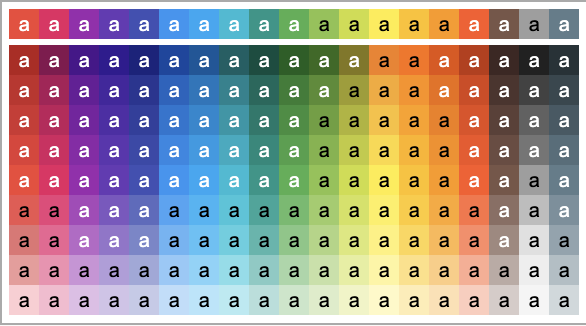
Example
1 2 3 4 | |